
Webflow vs. WordPress CMS in 2026: Choosing the Right Platform for Your Website

The digital world is constantly changing, therefore the selection of a proper Content Management System (CMS) for 2026 is even more important than ever before. Now the companies are asking for – quick performance, more design options, etc., and easier content management – death when it comes to choosing a CMS. There are still two platforms that are the obvious ones for such a case: Webflow and WordPress.

Powerful as they both are, these website-building tools serve different purposes and user types. In the following thorough comparison, we will examine the Webflow and WordPress CMS 2026 debate, so that you can identify which platform will best serve your website objectives.

Platform Overview: Webflow and WordPress

WordPress continues to be the number one CMS in the world, being the main support of blogs, business websites, and even enterprise platforms. The characteristics of open-source and an enormous number of plugins are the ones that give WordPress such versatility.

Webflow has declared itself a modern, design-forward CMS at the same time. By integrating visual design, CMS, hosting, and performance optimization, it has come up with a platform that appeals more and more to designers, startups, and marketing teams, thereby increasing its popularity.

Ease of Use and Learning Curve

Ease of use depends heavily on your technical background.

  • WordPress is relatively easy to get started with, especially for blogging. However, as websites grow more complex, managing plugins, themes, updates, and custom code can become challenging.
  • Webflow has a steeper initial learning curve, particularly for non-designers. That said, once learned, it allows users to build complex layouts and interactions visually—without needing multiple plugins.

2026 Verdict:
WordPress is easier for beginners, while Webflow is more efficient for teams seeking long-term design control.

Design Flexibility and Visual Control

Design expectations in 2026 are higher than ever.

  • Webflow excels in design precision. It offers pixel-perfect control, advanced animations, and responsive layouts using real HTML and CSS principles. No page builders are required.
  • WordPress depends on themes and page builders like Gutenberg or Elementor. While flexible, design consistency often relies on third-party tools.

Winner:
Webflow is the superior choice for modern, visually rich websites.

CMS and Content Management

Content management needs vary widely across businesses.

  • WordPress CMS is perfect for heavy loaded content platforms like blogs, news sites, and big editorial websites. Custom post types along with extensive content structuring make it very configurable.
  • Webflow CMS is great for structured content such as case studies, portfolios, landing pages, and websites that focus on marketing. But it may limit when it comes to huge publishing ecosystems.

2026 Insight:
WordPress leads for content volume; Webflow shines for content presentation.

Performance and Hosting

Website speed is a key ranking factor and user experience driver in 2026.

  • Webflow offers managed hosting powered by AWS and a global CDN. Performance optimization, caching, and SSL are built in by default.
  • WordPress performance depends on your hosting provider and how well your site is optimized. Poor plugin management can negatively impact speed.

Verdict:
Webflow delivers faster performance out of the box, while WordPress requires technical optimization.

SEO Capabilities in 2026

Both platforms support strong SEO when configured correctly.

  • With the use of plugins such as Rank Math and Yoast, WordPress has been immensely benefitted as these plugins give the user power to control metadata, schema, and content optimization in a very fine way.
  • Webflow has the capacity of providing clean code, great Core Web Vitals, customizable meta tags, automatic sitemaps, and schema support without the need for plugins at all.

SEO Verdict:
Both are SEO-friendly, but Webflow requires less maintenance for technical SEO.

Security and Maintenance

Security remains a major concern for website owners.

  • WordPress requires ongoing updates for core files, plugins, and themes. Neglecting updates can expose security vulnerabilities.
  • Webflow is a fully managed platform with automatic updates, SSL, DDoS protection, and built-in security monitoring.

Winner:
Webflow is safer and easier to maintain in 2026.

Scalability and Integrations

  • WordPress offers unmatched scalability through thousands of plugins and custom development options, making it suitable for complex and enterprise-level projects.
  • Webflow integrates smoothly with tools like Google Analytics, HubSpot, Zapier, and CRM platforms, but has fewer native extensions.

Verdict:
WordPress is better for highly complex ecosystems, while Webflow is ideal for streamlined growth.

Pricing and Cost Considerations

  • WordPress is free at its core, but costs add up through hosting, premium themes, plugins, and developer support.
  • Webflow uses a subscription-based pricing model that includes hosting, CMS, and security, making costs more predictable.

2026 Cost Insight:
WordPress can be cheaper initially, but Webflow often offers better long-term value.

Final Verdict: Webflow or WordPress in 2026?

Choose Webflow if you want:

  • High-performance websites
  • Modern, custom design
  • Minimal maintenance
  • Built-in hosting and security

Choose WordPress if you need:

  • Large-scale content publishing
  • Advanced plugin functionality
  • Maximum flexibility and customization
  • Enterprise-level scalability

Both platforms are excellent in 2026—the right choice depends on your business goals, technical resources, and long-term vision.

 

Smarter Performance Max Strategies for 2026: How to Get More from Google Ads

The evolution of Google Ads has brought PMax (Performance Max) to the forefront as the most powerful and also the most misunderstood campaign type on the platform. As 2026 approaches, advertisers are forced to rethink their Performance Max strategy, thus no longer considering it as a “set it and forget it” solution. The adoption of automation to a greater extent, the application of AI at a much deeper level, and the shifting of user behavior imply that marketers have to be more strategic, data-driven, and intentional than ever before.

This post unveils the realistic Performance Max tips for 2026, which, if appropriately applied, can lead to business efficiency, performance control, and increased return on ad spend (ROAS) even in the digital world that is becoming more and more competitive.

1. Understand Performance Max Beyond Automation

Performance Max is an all-in-one Google campaign that can be executed across all of Google’s channels, including Search, Display, YouTube, Discover, Gmail, and Maps. The main feature of automation is that it is the most substantial part of the process, but at the same time, absolute trust in machine automation brings about the biggest drawback.

In 2026, successful advertisers will:

  • Clearly define conversion goals (not just traffic)
  • Align PMax objectives with real business outcomes
  • Monitor asset-level performance regularly

Automation works best when fed high-quality inputs. Poor data leads to poor results, no matter how advanced Google’s AI becomes.

2. Prioritize High-Quality Conversion Data

Conversion tracking is the backbone of Performance Max. Heading into 2026, Google’s AI relies heavily on first-party data and accurate signals to optimize campaigns.

Best practices include:

  • Tracking meaningful conversions (sales, qualified leads, purchases)
  • Using enhanced conversions for better attribution
  • Integrating Google Analytics 4 (GA4) properly with Google Ads
  • Assigning realistic conversion values

Avoid tracking low-intent actions like page views or time-on-site as primary conversions. These signals confuse the algorithm and dilute campaign performance.

3. Use Audience Signals Strategically (Not Broadly)

Audience signals do not limit delivery, but they guide Google’s AI during the learning phase. In 2026, advertisers who provide clear, intent-driven audience signals will gain faster optimization and better quality traffic.

Effective audience signals include:

  • Past converters and customer lists
  • Website visitors with high engagement
  • In-market and custom intent audiences
  • CRM and remarketing data

Instead of adding every possible audience, focus on quality over quantity. Strong signals shorten the learning phase and improve early performance.

4. Asset Quality Matters More Than Ever

Performance Max is only as strong as the assets you provide. As Google leans further into AI-generated placements, creative quality becomes a key differentiator.

For better results in 2026:

  • Upload multiple high-quality images and videos
  • Use real brand visuals instead of stock images
  • Write clear, benefit-driven headlines and descriptions
  • Ensure messaging is consistent across assets

Brands that actively refresh assets every few months will outperform those using outdated or generic creatives.

5. Segment Campaigns by Business Goals

One common mistake is running a single Performance Max campaign for everything. In 2026, segmentation will be essential for control and clarity.

Consider separating campaigns by:

  • Product categories
  • Geographic regions
  • Customer lifecycle stages (new vs returning users)
  • Different conversion goals (leads vs sales)

This approach allows better budget allocation, clearer insights, and more predictable outcomes—without sacrificing automation benefits.

  1. Leverage Search Themes Wisely

Search themes help Performance Max understand your core offerings and align with high-intent searches. While Google still automates keyword targeting, clear thematic guidance improves relevance.

Best practices:

  • Use search themes that match real user intent
  • Avoid overly broad or vague themes
  • Align themes with landing page content
  • Review search insights reports regularly

Search themes act as guardrails, helping Google focus on the right demand rather than chasing irrelevant traffic.

  1. Monitor Insights, Not Just Metrics

Traditional metrics like impressions and clicks are no longer enough. Performance Max provides insights reports that reveal where and how ads are performing.

Key insights to review in 2026:

  • Top-performing asset combinations
  • Audience segments driving conversions
  • Search categories triggering ads
  • Placement trends across networks

These insights help marketers make smarter creative, targeting, and budget decisions—without needing full manual control.

  1. Be Patient—but Not Passive

Performance Max campaigns require time to learn, especially when significant changes are made. However, patience should not mean inaction.

Smart optimization habits include:

  • Allowing 2–4 weeks after major changes
  • Avoiding frequent bid strategy switches
  • Making data-backed adjustments, not emotional ones
  • Testing one variable at a time

In 2026, disciplined optimization will outperform constant tweaking.

Conclusion

Moving ahead to the year 2026, Performance Max has become a standard feature instead of an optional one in the Google Ads ecosystem. Nevertheless, to win with PMax, it is imperative to have strong data, a well-defined strategy, top-notch assets, and an ongoing process of insight-driven refinements along with the use of automation.

Those advertisers who consider Performance Max as a strategic system—rather than merely a black box—would be the first to secure a long-term advantage. If the tips are implemented, companies will be capable of not only keeping up with the changes in the platform but also cutting down on the wastage of expenditure and tapping into the complete power of Google Ads during the coming year.


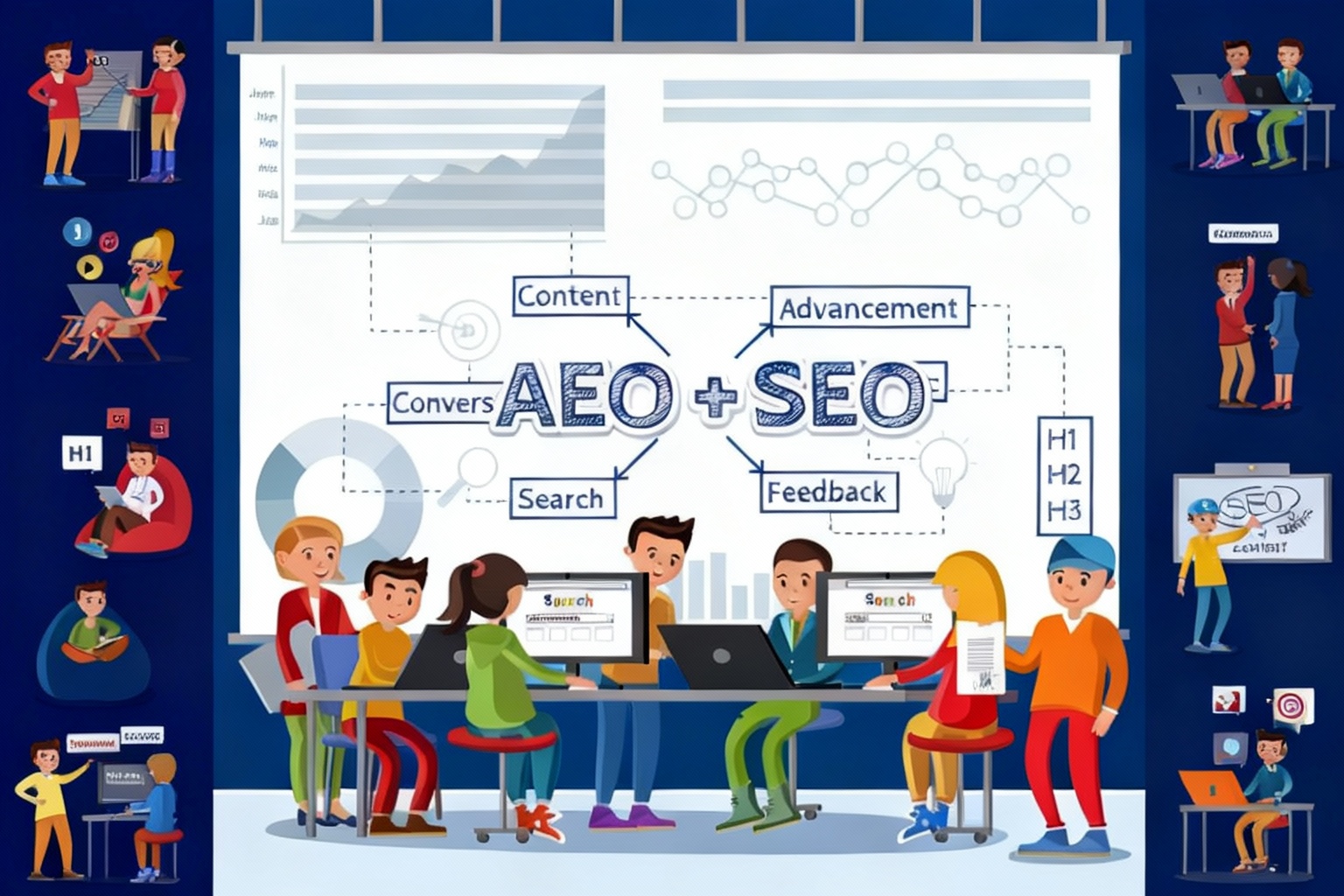
Beyond SEO: How Answer Engine Optimization (AEO) Is Shaping the Future of Digital Search

Search engine optimization (SEO) has always been the mainstay of getting digital visibility. to get a better place on Google, companies optimized keywords, created backlinks, and enhanced technical performance. But the way people search for information is changing very quickly. AI-powered tools, voice search, and answer-based platforms have become popular and thus the traditional SEO is less impactful.

This transition has given birth to AEO (Answer Engine Optimization)—a strategy that emphasizes providing straight, correct answers over just ranking suitable pages. For future-oriented digital agencies like YouthTech Solutions, the comprehension and application of AEO is a necessity for not getting behind in terms of competing with others in the changing search terrain.

What Is Answer Engine Optimization (AEO)?

Answer Engine Optimization (AEO) is the procedure of improving digital material for it to be easily understood, picked, and delivered as a direct answer by search engines, AI assistants, and voice-operated gadgets.

AEO is different from conventional SEO in terms of the latter’s intention of attracting clicks through higher ranking while AEO’s goal is to provide clear, concise, and authoritative answers to user questions. These answers get featured snippets, voice search results, AI-generated summaries and “zero-click” search outcomes most of the time.

Examples of answer engines include:

  • Google Featured Snippets
  • Voice assistants like Siri, Alexa, and Google Assistant
  • AI-powered platforms and chat-based search tools

Why SEO Alone Is No Longer Enough

User behavior has evolved significantly over the past few years. Today’s users want instant answers, not long lists of links. Instead of typing short keywords, users now ask complete questions such as:

  • “What is the best digital marketing strategy for startups?”
  • “How does AEO differ from SEO?”

Search engines prioritize content that directly answers these questions in a structured and reliable way. As a result, websites that rely solely on keyword density and backlinks may struggle to maintain visibility.

SEO is still important—but it must now work alongside AEO to remain effective.

Key Differences Between SEO and AEO

While SEO and AEO share similar goals, their approaches differ:

  • SEO focuses on rankings, traffic, and keywords
  • AEO focuses on answers, intent, and clarity
  • SEO targets search engine algorithms
  • AEO targets both algorithms and AI interpretation
  • SEO encourages clicks
  • AEO often delivers value without a click

For brands aiming to establish authority and trust, AEO provides a competitive advantage in a crowded digital space.

How AEO Works in Modern Search

Answer engines rely on structured data, natural language processing, and semantic understanding. Content that performs well in AEO typically includes:

  • Clear headings and subheadings
  • Question-and-answer formats
  • Short, precise paragraphs
  • Schema markup for better interpretation
  • High credibility and factual accuracy

By aligning content with these elements, businesses increase their chances of being selected as the best possible answer.


Why AEO Matters for Businesses Today

AEO is not just a trend—it’s a response to how technology and users interact with information. Here’s why it matters:

  1. Increased Visibility Without Click Dependency
    Even if users don’t click, your brand becomes the trusted source.
  2. Better Voice Search Performance
    Voice assistants rely almost entirely on answer-based results.
  3. Stronger Brand Authority
    Being the chosen answer builds credibility and trust.
  4. Improved User Experience
    Users get what they need faster, increasing satisfaction.
  5. Future-Proof Digital Strategy
    AI-driven search will only grow, making AEO essential.

AEO Strategy: How YouthTech Solutions Approaches It

We at YouthTech Solutions anticipate that the next generation of searches will be all about intent and optimization directed towards users. By merging basic SEO with state-of-the-art AEO methods, we guarantee digital success for a long time.

We focus on:

  • Researching real user questions and search intent
  • Creating content that answers, not just ranks
  • Structuring pages for AI and voice search compatibility
  • Enhancing content authority through expertise and relevance

This holistic strategy allows brands to remain discoverable across traditional search engines and emerging answer platforms.

How to Prepare Your Website for AEO

Businesses looking to transition from SEO to AEO should start with these steps:

  • Optimize content around questions, not just keywords
  • Use simple, conversational language
  • Add structured data where applicable
  • Improve content accuracy and depth
  • Focus on user intent at every stage

By doing so, websites can meet modern search expectations while maintaining strong organic performance.

Conclusion

The digital search ecosystem is evolving faster than ever. While SEO remains a critical component of online visibility, it is no longer the complete solution. Answer Engine Optimization (AEO) represents the next phase—where clarity, relevance, and direct value define success.

For businesses aiming to stay competitive, adapting to AEO is not optional—it’s essential. With the right strategy and expertise, companies can transform how they appear, engage, and lead in the age of AI-driven search.

At YouthTech Solutions, we help brands navigate this transition with confidence, innovation, and future-ready digital strategies.


Shopify vs. Shopify Plus in 2026: How to Know When It’s Time to Upgrade

Shopify, an eCommerce platform that has gained immense popularity, is now being used by businesses all over the world—from individuals starting their business to the big global brands. But the question that usually comes up is, whether to stick to the standard Shopify plan or to the Shopify Plus one, as your online store gets bigger and bigger.

Going into the year 2026, the distinction between Shopify and Shopify Plus is no longer only about costs. It’s all about… scalability, automation, customization, and efficiency of operations. This guide discusses the essential differences and when it actually makes sense for your business to move to the Shopify Plus plan.

Understanding Shopify and Shopify Plus

Shopify targets businesses that are considered small or medium-sized businesses. This e-commerce service offers all the required functionalities for establishing and operating an online business, such as themes, applications, and basic customization.

Shopify Plus, on the other hand, is Shopify’s enterprise offering. It is designed for businesses that have high growth and volume, and thus require additional functionality and flexibility, as well as priority customer service.

The platform choice isn’t about “better” or “worse”—it’s about fit.

Key Differences Between Shopify and Shopify Plus

1. Pricing Structure

Standard Shopify plans come with fixed monthly pricing, making them ideal for businesses with predictable costs. Shopify Plus uses a custom pricing model, typically starting at a much higher monthly investment.

If your store is generating consistent high revenue, the additional cost of Shopify Plus often becomes justifiable through operational savings and improved performance.

2. Customization and Flexibility

One of the biggest advantages of Shopify Plus is advanced customization.

With Shopify Plus, businesses gain access to:

  • Greater control over checkout customization
  • Advanced API limits
  • More flexibility with integrations
  • Ability to manage multiple storefronts under one account

For brands that need tailored customer journeys or complex workflows, standard Shopify can feel limiting by 2026 standards.

3. Automation with Shopify Flow

Automation is a major factor when deciding to upgrade.

Shopify Plus includes Shopify Flow, a powerful automation tool that allows businesses to:

  • Automate order management
  • Tag customers based on behavior
  • Manage inventory workflows
  • Reduce manual operations

If your team spends excessive time on repetitive tasks, Shopify Plus can significantly improve efficiency.

4. Scalability and Performance

As traffic, orders, and SKUs increase, scalability becomes critical.

Shopify Plus is designed to handle:

  • High-volume flash sales
  • Large product catalogs
  • International traffic spikes
  • Complex fulfillment operations

For businesses planning aggressive growth in 2026, Shopify Plus offers peace of mind during peak demand periods.

When Does Your Business Actually Need Shopify Plus?

Upgrading too early can strain budgets, while upgrading too late can limit growth. Here are clear indicators that it may be time to move to Shopify Plus.

You’re Experiencing Rapid Growth

If your store is scaling quickly—more traffic, more orders, more customers—standard Shopify may struggle to keep up operationally. Shopify Plus supports expansion without sacrificing performance.

You Manage Multiple Stores or Markets

Selling across regions, currencies, or brands? Shopify Plus allows you to manage multiple storefronts from a single dashboard, making global expansion easier and more cost-effective.

You Need Advanced Checkout Customization

Standard Shopify offers limited checkout control. Shopify Plus allows deeper checkout customization, which can improve conversion rates, branding consistency, and customer experience.

Your Operations Are Becoming Too Manual

As order volume grows, manual processes become bottlenecks. Shopify Plus helps streamline operations through automation and advanced integrations.

When Shopify (Standard) Is Still the Better Choice

Not every business needs Shopify Plus. Standard Shopify remains ideal if:

  • Your revenue is steady but not enterprise-level
  • You rely heavily on third-party apps for functionality
  • Your operations are simple and manageable
  • You’re still testing product-market fit

For many growing businesses, optimizing standard Shopify before upgrading is the smarter move.

Shopify vs. Shopify Plus in 2026: A Strategic Decision

In 2026, the decision to upgrade is less about platform limitations and more about business maturity. Shopify Plus is best viewed as an operational accelerator—not a starting point.

Businesses that benefit most from Shopify Plus are those that:

  • Have proven demand
  • Prioritize efficiency and automation
  • Need advanced customization
  • Are preparing for international or high-volume growth

Final Thoughts

The choice of Shopify or Shopify Plus is a strategic move that must be in accordance with your aspirations for growth, financial plan, and difficulty of operations. Even though Shopify is robust for almost any company, Shopify Plus to a larger extent when scale, speed, and customization are still optional.

In case your shop is making a lot of money, having to manage intricate processes, or considering rapid growth in 2026, switching to Shopify Plus could be the decision that opens up the door to your next level of success.


Why Custom Software Development Saves Enterprises Millions Over Time

In the case of many businesses, software as a service is treated like a fixed cost—monthly licenses, annual renewals, and frequent upgrades for standard tools. Sure, the latter give quick access, but they also tend to bury inefficiencies and raise costs in the long run. The limitations become costly bottlenecks as the organization grows.

Taking the custom software development route is seen as a strategic alternative. It may need a higher initial funding but custom software is the one that always provides huge long-term savings. By the year 2026, companies that consider custom digital solutions as a priority will be able to cut down on waste, increase their productivity, and even secure their positions in the market with the technology that has a direct financial benefit of millions.

The True Cost of Off-the-Shelf Software

At first glance, prebuilt software appears affordable. However, hidden costs add up over time, including:

  • Per-user licensing fees that grow with your team
  • Paying for features your business never uses
  • Limited customization forcing inefficient workarounds
  • Costly integrations with existing systems
  • Vendor lock-in and forced upgrades

As enterprises grow more complex, these recurring costs multiply. What starts as a convenient solution often becomes a financial drain.

How Custom Software Reduces Long-Term Expenses

Custom software is built specifically around your business processes, eliminating unnecessary complexity and waste. Here’s how it drives real savings.

1. Pay Only for What You Need

Custom software is designed to support your exact workflows, not generic use cases. Enterprises avoid paying for unused features and reduce dependency on multiple tools.

This streamlined approach results in:

  • Lower software subscription expenses
  • Fewer overlapping platforms
  • Simplified system architecture

Over several years, these reductions alone can save enterprises millions.

2. Improved Operational Efficiency

Manual processes and inefficient systems cost enterprises more than they realize. Custom software automates repetitive tasks and eliminates bottlenecks.

Benefits include:

  • Faster execution of daily operations
  • Reduced human error
  • Lower administrative overhead
  • Increased employee productivity

When hundreds or thousands of employees work more efficiently, the financial impact is substantial.

3. Scalable Without Exponential Cost Increases

Most off the shelf platforms will increase in price as your company grows. Extra users, functionalities, and data are usually the factors that cause higher licensing tiers.

On the other hand, software developed specifically for a company is designed to be scalable. Companies are able to expand without having to face sudden increases in costs, thus they are able to maintain financial stability in the long run.

4. Seamless Integration with Existing Systems

Enterprises rarely operate on a single platform. CRMs, ERPs, finance tools, and internal systems must work together.

Custom software integrates seamlessly with existing infrastructure, reducing:

  • Integration fees
  • Middleware costs
  • Data inconsistencies
  • IT maintenance overhead

This unified ecosystem lowers both technical debt and operational risk.

5. Reduced Dependency on Third-Party Vendors

Vendor lock-in is a major financial risk. When a provider increases prices, changes terms, or discontinues features, enterprises are forced to adapt—often at high cost.

With custom software:

  • You own the code
  • You control upgrades and enhancements
  • You choose hosting and infrastructure

This independence protects enterprises from unexpected expenses and long-term contractual limitations.

6. Enhanced Security Minimizes Financial Risk

Security breaches are expensive—both financially and reputationally. Off-the-shelf software is a common target for cyberattacks due to widespread usage.

Custom software offers:

  • Tailored security measures
  • Controlled access based on roles
  • Compliance-ready architecture

By reducing vulnerability, enterprises avoid costly downtime, data loss, legal penalties, and recovery expenses.

7. Faster Decision-Making Through Better Data

Custom software can be built with enterprise-specific analytics and reporting, providing real-time insights aligned with business goals.

This enables:

  • Smarter resource allocation
  • Faster strategic decisions
  • Improved forecasting accuracy

Better decisions lead to higher profitability and lower waste—key contributors to long-term savings.

Custom Software as a Long-Term Investment

Custom development is an asset rather than a recurring liability, in contrast to subscription software. After it is developed, the software keeps providing value without requiring license payments.

Over time, enterprises benefit from:

  • Predictable costs
  • Lower total cost of ownership
  • Greater ROI compared to SaaS alternatives

In many cases, the break-even point is reached within a few years, after which savings continue to compound.

When Custom Software Makes the Most Sense

Custom software development is especially valuable when:

  • Business processes are complex or unique
  • Existing tools require constant workarounds
  • Data security and compliance are critical
  • Long-term scalability is a priority
  • Multiple systems must work together seamlessly

For enterprises meeting these criteria, custom software is not a luxury—it’s a financial strategy.

Final Thoughts

Custom software development is frequently misinterpreted as a costly choice. To the contrary, it is a method for the companies to manage their expenses, to be more productive, and to secure their profits in the long run, which is the most effective one.

If companies get rid of unnecessary licenses, decrease manual labor, enhance scalability, and have total control over technology, they can actually save millions in the long run. As the digital transformation is moving faster towards 2026, custom software is not merely a technical choice anymore—it is a wise business investment.


Time for a Website Redesign? 3 Clear Signs It’s Time to Say Yes

Your website is usually the first point of contact a potential customer has with your brand. It conveys your business, your trustworthiness, and your worth—nonstop. However, just like trends, technology, and user expectations changing, websites can soon be considered as having been through their useful lifetime.

A lot of companies are reluctant to redo their websites since they think the process is extremely costly, time-consuming, and they consider it to be unnecessary. Yet, a website that is outdated or not performing can quietly kill your brand, lower the conversion rate, and do harm to the ranking of search engines.

What are the signs? First, we shall discuss the three manifestations that clearly point out the need for a brand-new website rather than merely performing small modifications.

1. Your Website Looks Outdated or Doesn’t Reflect Your Brand

First impressions count. Users will take only a few seconds to form their impressions about a website, and design is the main factor according to research. If your site has an old-fashioned, messy or inconsistent with your current brand identity look, visitors might not trust you before they even check your services.

Common signs of an outdated website include:

  • Old fonts, colors, or layouts
  • Poor-quality images or stock photos
  • Inconsistent branding across pages
  • Design that doesn’t align with your current business goals

If your brand has evolved—new logo, new services, new messaging—but your website still reflects how your business looked years ago, it sends mixed signals. A modern redesign ensures your website accurately communicates your professionalism, values, and uniqueness.

A fresh, clean design also improves user engagement. Visitors are more likely to stay, explore, and convert when the website feels visually appealing and trustworthy.

2. Poor User Experience and Mobile Performance

User experience (UX) has a significant impact on the decision of the visitors to stay or leave your site right away. If the users have a hard time basically getting the info they want, moving from one page to another, or doing the things, they will just go to the rival.

Signs of poor user experience include:

  • Confusing navigation menus
  • Slow page loading times
  • Broken links or outdated pages
  • Forms that don’t work properly

One of the biggest red flags today is poor mobile performance. With the majority of users accessing websites through smartphones, a site that isn’t mobile-friendly is no longer acceptable. Text that’s too small, buttons that are hard to click, or layouts that break on smaller screens can severely hurt engagement and conversions.

A website redesign allows you to implement:

  • Mobile-first or responsive design
  • Faster loading speeds
  • Clear call-to-action buttons
  • Improved site structure and navigation

By focusing on usability and performance, you create a smoother journey that helps users take action—whether that’s contacting you, booking a service, or making a purchase.

3. Your Website Isn’t Delivering Results or SEO Growth

A website should do more than just exist—it should generate leads, sales, and organic traffic. If your site looks fine but isn’t delivering measurable results, that’s a strong signal something needs to change.

Some performance-related warning signs include:

  • High bounce rates
  • Low conversion rates
  • Declining organic traffic
  • Poor rankings on search engines

Websites that have been around for a while usually have old code, bad layout, and no SEO-friendly practices. Consequently, search engines find it hard to crawl, index, and rank your pages correctly.

A strategic website redesign helps improve SEO by:

  • Optimizing site structure and URLs
  • Improving page speed and Core Web Vitals
  • Enhancing on-page SEO elements (headings, metadata, content)
  • Ensuring proper indexing and crawlability

When redesign is done with SEO in mind, it doesn’t just improve aesthetics—it boosts visibility, traffic, and long-term growth.

Why a Website Redesign Is an Investment, Not an Expense

Most of the companies see website redesign as a cost, but in the end, it’s an investment in the future of your brand. A professionally designed and performant website plays the role of a digital salesperson, advertising tool, and trust creator simultaneously.

A redesign can help you:

  • Increase credibility and authority
  • Improve user engagement and conversions
  • Strengthen search engine rankings
  • Support marketing and advertising efforts
  • Stay competitive in your industry

Rather than patching problems with small fixes, a full redesign addresses issues at the core—design, structure, performance, and strategy.

Final Thoughts

If your website appears to be old, offers bad user experience, or does not produce good results, it is most likely time for a redesign. A website should not be an obstacle to a business; instead it should grow along with it.

A modern-day redesign of the website aligns the brand with it, makes the website more user-friendly, adding to its SEO support, and in the end, turning the visitors into customers. If you see even one of the signs, it is absolutely worth it to assess your website and come up with the next step in advance.

Your website is not only a digital presence but also a very effective business asset. Ensure that it is in your favor and not in your disadvantage.


How ERP Software Improves Production Planning and Control

Successful production planning and control are major factors in maintaining profitability, satisfying customers, and competing against other companies. As businesses expand and make relationships more complicated, old-school planning practices—like spreadsheets or single-purpose apps—come up short. Here’s where Enterprise Resource Planning (ERP) software comes into play. Combining all aspects of the production process for a company into a centralized system, ERP software can enable manufacturers to enhance efficiency, visibility and other important factors to strategic decision making.

In this article to approach how ERP software enhances Production Planning and Control here are few reasons why it’s indispensable for every manufacturing business in today’s world.

1. Centralized Real-Time Data for Better Decision-Making

Fragmented information is one of the worst thing in production. When data is fragmented across systems or departments, decisions also become sluggish and unreliable. ERP software solves this problem by consolidating all of the key production information—inventory levels, machine capacity, and labor availability, order statuses—in one place.

When planners and managers have visibility to live data, demand can be forecasted more easily, resources assigned and workload planned properly. Well timed availability of reliable data ensures that production schedule meets company objectives and market demand.

2. Enhanced Production Scheduling and Workflow Management

Manual scheduling can lead to errors, delays, and inefficient resource utilization. ERP software provides intelligent scheduling tools that automate and optimize the planning process. These tools consider various factors such asMaterial availability

  • Machine capacity
  • Workforce skills and availability
  • Order priority
  • Lead times

By analyzing these parameters, the system generates realistic and achievable production schedules. Additionally, ERP-driven workflow management ensures that each department is aware of its tasks, deadlines, and dependencies, resulting in smoother operations and fewer bottlenecks.

3. Seamless Materials and Inventory Management

Production can be seriously affected if there is a shortage of materials or overstock of inventory. ERP systems integrate production planning to inventory management making sure the balance is right. Such features as automated reorderpoints, stock monitoring and purchase planning make certain that materials are pinpoint right on time.

Accurate inventory tracking enables businesses to lower carrying costs, avoid stockouts and minimize waste. This effectively will result in better continuity of production, and fewer instances when last minute purchasing is required which often leads to a costly inefficient purchase.

4. Better Resource Allocation and Capacity Planning

Efficient use of resources A key to success for maximum productivity at minimum total cost. ERP software enables manufacturers to assess machine, labour and production line capacities. From that picture, planners can see which resources are being underutilized or which departments are used the most.

They’re used for balancing work allocation to reduce production bottlenecks, and prevent employee burnout. This is how the entire production unit will be in ideal working condition, yet flexible enough to meet changing fluctuating demand.

5. Improved Quality Control and Compliance

Consistent product quality should be maintained for customer satisfaction as well as regulatory purpose. Quality Control ERP systems help to track and collect data on the production process. Quality control may be built into processes to guarantee that no batch or item advances until it has been checked.

ERP systems also capture extensive information on materials, processes and test outcomes. This documentation assists in identifying the cause of defects, correcting them, and verifying that industry standards are met. Manufacturers can increase product quality and reduce rework or rejection rates through better traceability and reporting.

6. Real-Time Monitoring and Performance Tracking

ERP software provides dashboards and analytical tools that help monitor production performance in real time. Managers can track key metrics such as:

Production output

Downtime

Efficiency rates

Order progress

Scrap and waste levels

With this visibility, decision-makers can respond quickly to unexpected issues, adjust production schedules, and optimize processes. Data-driven insights also support continuous improvement initiatives, enabling organizations to identify trends and implement long-term solutions.

7. Greater Collaboration Across Departments

Production planning is often a multidepartmental process, including functions like purchasing, sales, warehousing and finance. These departments do not work in tandem, leading to communication gaps and lags being the norm. Collaboration is made possible through ERP solution as it allows all concerned to work on the same source of information.

For instance, sales staff can grasp the production capacity in advance before they confirm their delivery commitment, and procurement team can plan to make materials according to scheduled orders. This alignment provides a platform for fewer points of conflict, better communication and overall greater workflow coordination through the organization.

8. Cost Reduction and Increased Profitability

Enterprises benefit from lower operational costs through optimizing production, inventory management and resource distribution while reducing waste with an ERP system. Inefficiencies and errors can be removed from the process, and workflow itself can be streamlined which all increase profitability.

It also helps to improve the production planning resulting in experience timely delivery, improved customer satisfaction and good sustain quality at competitive advantage.

Conclusion

ERP software is transforming the way manufacturing companies plan and control their production processes. It brings together all essential functions—inventory, scheduling, quality control, resource planning, and reporting—under a unified system. The result is improved efficiency, reduced costs, and enhanced customer satisfaction.

As the manufacturing landscape becomes increasingly dynamic and competitive, adopting ERP software is no longer optional but a strategic necessity. Companies that invest in ERP-driven production planning and control are better equipped to adapt to changing market demands, achieve operational excellence, and drive long-term growth.


Check our all news